
DOWNLOAD THE APP


Customer Services
Copyright © 2025 Desertcart Holdings Limited
DOWNLOAD THE APP

🚀 Upgrade your home network to pro-level speed and security — don’t get left buffering!
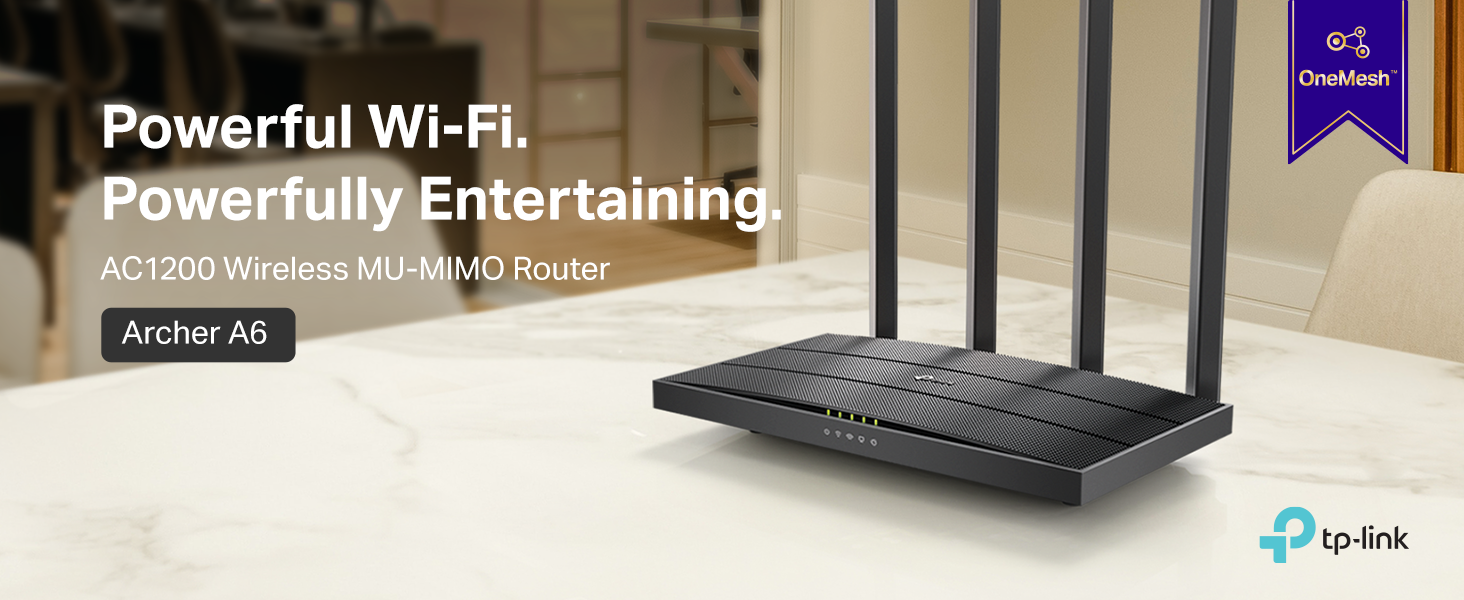
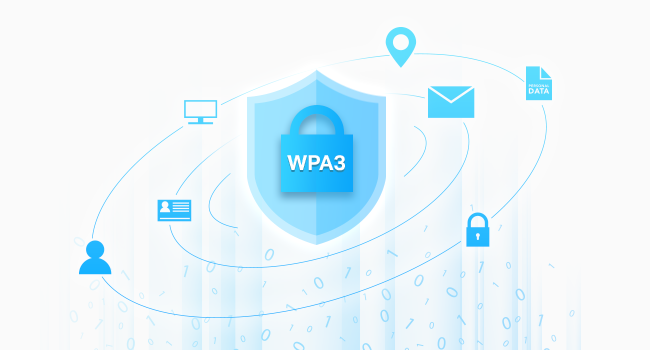
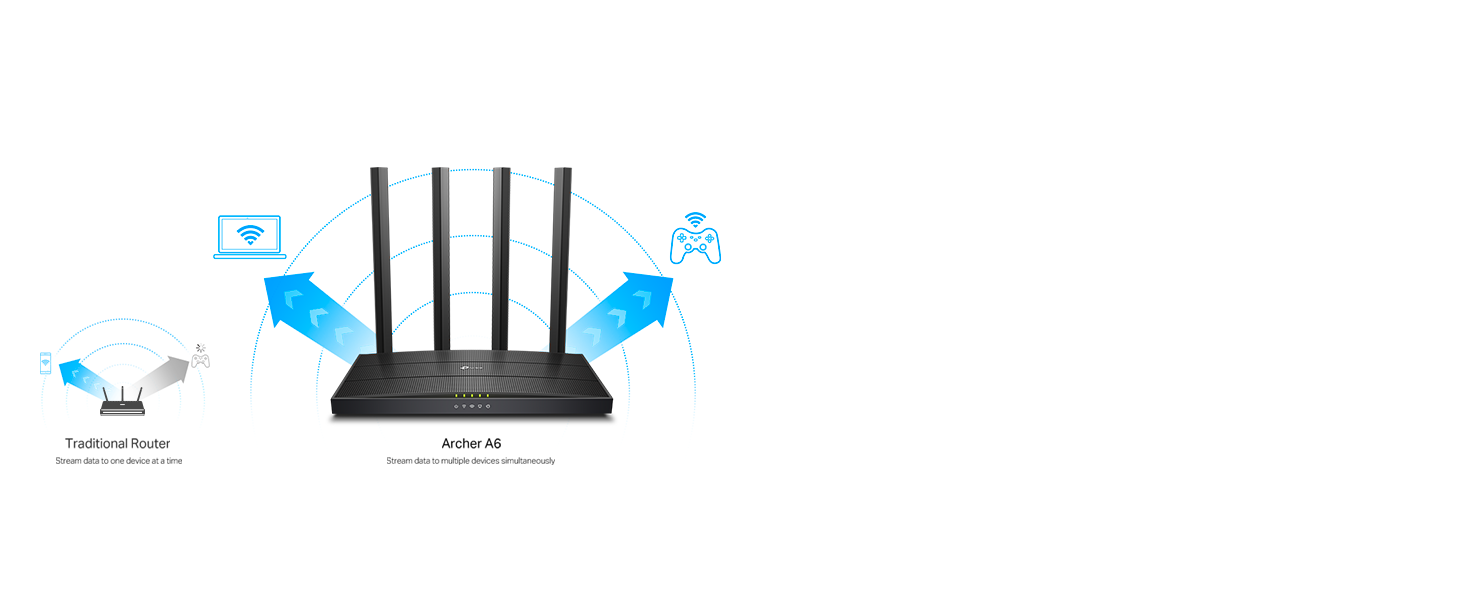
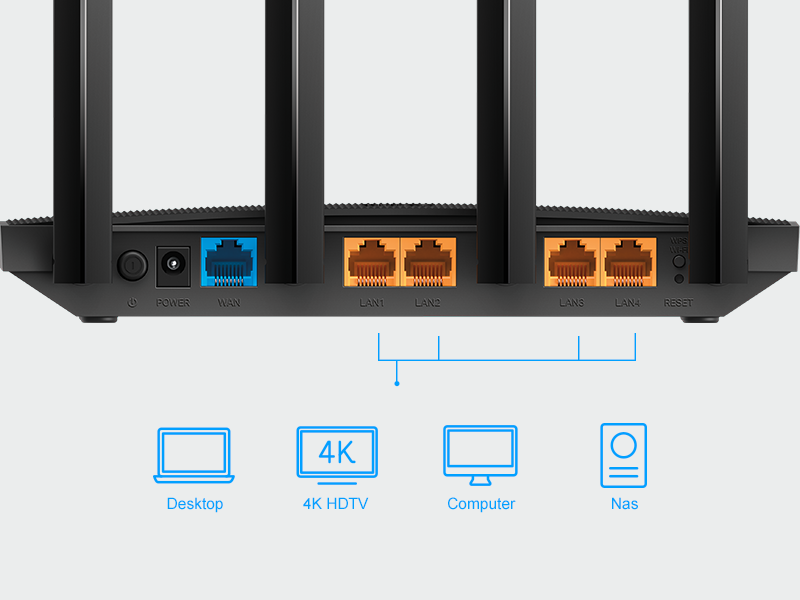
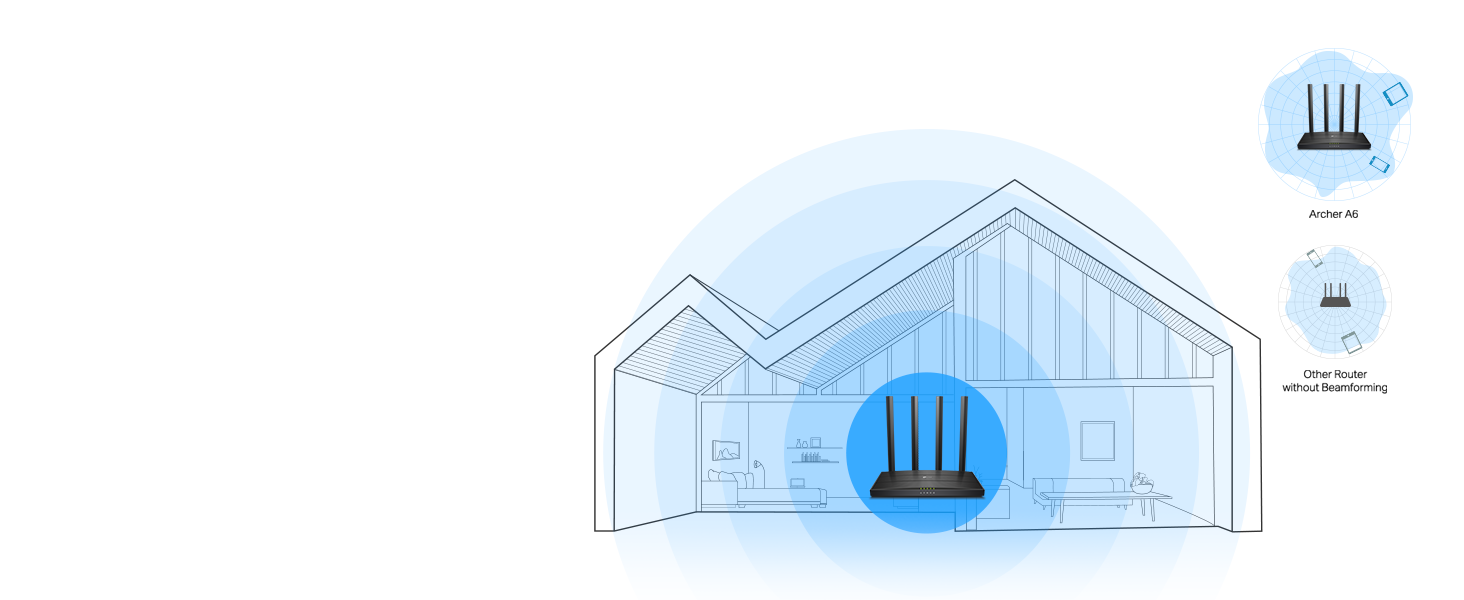
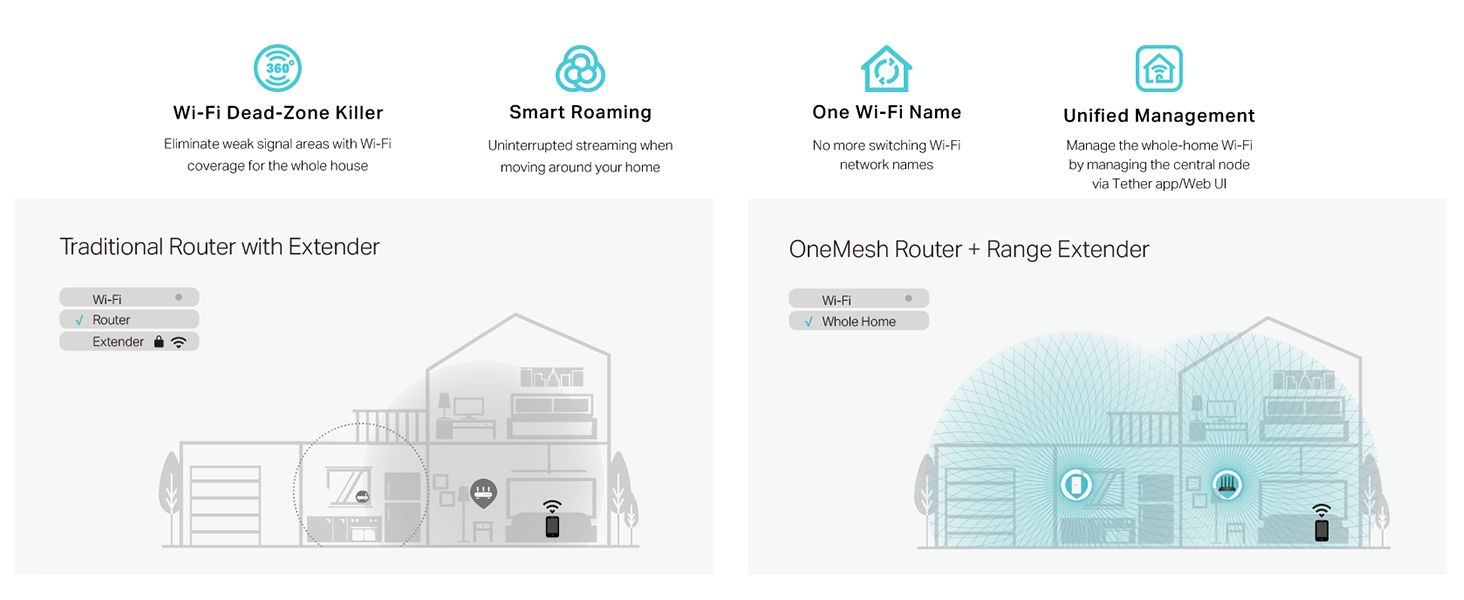
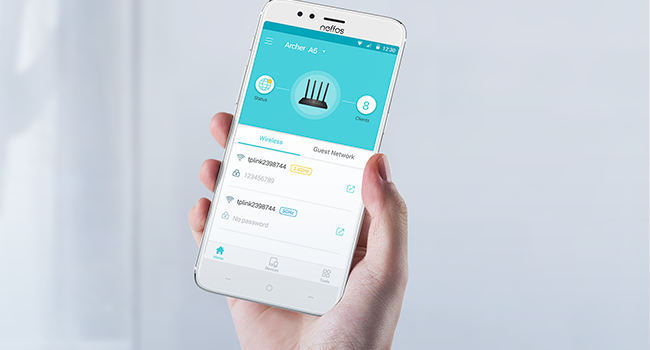
The TP-Link AC1200 Archer A6 is a dual-band MU-MIMO router delivering up to 1200 Mbps combined speed, enhanced by four beamforming antennas for extended coverage. It features 4 Gigabit LAN ports for wired connections, supports OneMesh for seamless whole-home WiFi, and includes advanced WPA3 security. Easy to set up via the Tether app, it’s compatible with all major ISPs and ideal for streaming, gaming, and smart home connectivity.

| ASIN | B08KJF5BS7 |
| Best Sellers Rank | #607 in Electronics ( See Top 100 in Electronics ) #4 in Computer Routers |
| Customer Reviews | 4.4 4.4 out of 5 stars (8,729) |
| Date First Available | October 21, 2020 |
| Item Weight | 11.4 ounces |
| Item model number | Archer A6 |
| Manufacturer | TP-Link |
| Product Dimensions | 8.46 x 4.92 x 1.81 inches |
F**N
Ease of Installation for those that are clueless to network connectivity.
25 years ago, I installed server systems, terminals, printers, and network routers. All that networking equipment had to be set up with laptops directly connected to the routers' ports. Nothing was autosensing. I enjoyed it, but I knew what I was doing. Fast forward to today. I had to replace my own 25-year-old router because new laptops would not connect to it due to upgraded security software. I thought, Oh boy. I bet this is going to be a trip. I had forgotten most of what I knew; besides, I knew nothing about this new stuff. I picked this TP-Link AC1200. It was inexpensive, but we didn't need anything robust since we are not gamers. First of all, I ordered it on Amazon at about 3 pm. 8:30 pm, a car backs into my driveway. They delivered the router in less than 6 hours. Incredible! Today I went to install it. I was expecting a bit of a hassle with configuring this thing. After physically connecting the two cables —the power cord and the network cable —I powered it on. I went to my PC. The TP-Link showed up in my available networks. I click on it. Put in the password supplied. Got connected, but I had no internet connectivity. Ahh! I had to disconnect a cable from my MAIN in-house router, then reconnect it so that the router ID would be discovered. I went back out to the shop, clicked on Safari (I have an Apple MacBook). Wala, I'm IN. I could NOT believe how easy the installation went. No glitches, smooth operation, and my network is all updated. I know how networking operates, but I am clueless about all the newer equipment since I've been out of the field for almost 15 years. So, even a stupid person like me can set up this equipment that used to take a lot of training 25 years ago. This inexpensive wireless router is absolutely outstanding. I usually do not write such long reviews, but I could not let this pass without adding my thoughts about the TP-Link AC1200 WiFi Router. I'm so glad these routers were not around when I was in the field. If they had been, my great-paying job would not have existed. Now that I am retired, I'm happy for them, so I can still dabble on the Internet.
D**C
WIFI router. Works great.
It's running my WIFI right now. No issues here. It was easy to set up and super low cost. No issues, that's all I care about. If nobody is complaining about slow WIFI, then I'm happy. And they're not complaining.
T**C
Exactly what I needed
I was having issues with my work VPN blocking my internet when hooked to the T-Mobile router. I added this router to the T-Mobile 5G as an additional router. It gives me flexibility of what devices connect where. I saw many recommendations not to use both of them as routers, but did and it works perfectly. The coverage is excellent and fit nicely on top of a bookshelf along with the T-Mobile router. I love the ability to separate out my smart devices into a network dedicated solely to them, which the TP-Link is easily setup to do. I have a network setup for work on this router and generally use the T-Mobile router for anything other than the smart home devices.
G**R
A Little Trouble Installing but is Working Well
I purchased this to use as an access point replacing a much older router being used for the same purpose. My main router is also a TP-Link. These routers have a mode in the software specifically to be used this way. I had a little trouble setting it up. The first time I tried to configure the mode, it didn't seem like it took and the router got stuck saving the configuration. I kept getting "unknown error". This was while trying to access it by connecting directly to an ethernet port from a PC as the instruction said to do. However, I just plugged it into my main router and was able to login to the main router to see the new router's IP address (which it connected to with no problem). Then I just used that IP address from my browser from a PC on the network to login to the new router. Once I did that I had no problem setting up the configuration and it was super fast. Once that was done and I set up my WiFi networks everything worked perfectly. Now it is working correctly as an access point, plugged into the main router by ethernet, with 3 devices plugged into the other ethernet ports and more devices using it as a WiFi connection. The connection seems better than my old router which is what I was looking for.
B**E
Very low price, received next day, Fantastic
Fantastic, very easy to install, working great I am 73 and it was so easy to install
T**G
Device works great.
Easy to set up right out of the box, and has worked flawlessly for 11 months now. I get a full signal inside all rooms of my apartment, and outside nearby as well. One thing to note is that the Reset Button lies inside a small hole, and is not either of the two actual buttons on the back of the router.
J**.
Super facil de instalar... Tiré un cable de utp cat 6 de 120 metros hasta llegar al router TP-LINK y funcionó perfectamente, la señal es de calidad y de buen rango.
A**D
The TP-Link AC1200 Gigabit WiFi Router (Archer A6) is an impressive choice for anyone looking to upgrade their home network. With its dual-band technology, it offers reliable and speedy connections on both 2.4 GHz and 5 GHz frequencies, making it ideal for streaming, gaming, and everyday browsing. The router's MU-MIMO technology ensures that multiple devices can connect simultaneously without a noticeable drop in performance, enhancing the overall user experience. One of the standout features of the Archer A6 is its long-range coverage. Equipped with four external antennas, this router delivers a strong and stable signal throughout your home, minimizing dead zones and improving connectivity in hard-to-reach areas. The addition of OneMesh support allows for seamless integration with other TP-Link devices to create a unified network, eliminating the hassle of switching between different networks as you move around your home. The router also boasts an Access Point (AP) mode, which can be a game-changer if you need to convert a wired connection into a wireless one. This feature adds to the versatility of the Archer A6, making it a flexible option for various networking needs. Additionally, the setup process is straightforward, thanks to the intuitive TP-Link Tether app, which guides you through the installation and configuration with ease. Overall, the TP-Link AC1200 Archer A6 is a solid investment for anyone seeking a reliable, high-performance router that offers excellent range and flexibility. Its combination of dual-band support, MU-MIMO technology, and OneMesh compatibility make it a standout choice in its price range.
S**O
Excelente producto, muy buena calidad, muy buena señal y recepcion de la misma, mejoró en los 3 pisos.
L**Y
TP-Link AC1200 Gigabit WiFi Router (Archer A6) - Dual Band MU-MIMO Wireless Internet Router, 4 x Antennas, OneMesh and AP mode, Long Range Coverage This is an older unit but it's still a good one. I bought this to create a separate 2.4g WiFi legacy network just for IoT devices. Most IoT devices are 2.4g. Like smart switches and even security cams. My current Wi-Fi setup has 2.4g but it's miserable and doesn't work well at all so I wanted a decent 2.4g setup that is completely separate from my main network. This is dirt cheap with pricing and I picked it up. Works amazing. Excellent 2.4g network. Speedy too (for legacy WiFi) covers a huge range in my 4000sqft home. I disabled 5ghz (yes there's a setting to do this ) The setup was really wonky. It has so many issues with the setup phase. Didn't connect. Made you reboot the device but it failed to reconnect. Really bad confusing setup that simply didn't work. I ended up "forgetting " all my wifi SSID and disabling mobile network. Then forcing it to get on the Archer a6 setup ssid and manually getting thru the setup. It worked finally. Once it is set up properly, the tp link connect app works amazingly via cloud. Without needing to go thru local wifi. Can be remotely controlled and accessed setting via cloud when you're not home even. For my specific purposes it's a fantastic value device. It's an older model but works great still.
A**O
buena calidad fácil de instalar!!
Trustpilot
2 days ago
4 days ago