Desertcart purchases this item on your behalf and handles shipping, customs, and support to Jersey.
🔌 Plug in. Power up. Cut the clutter.
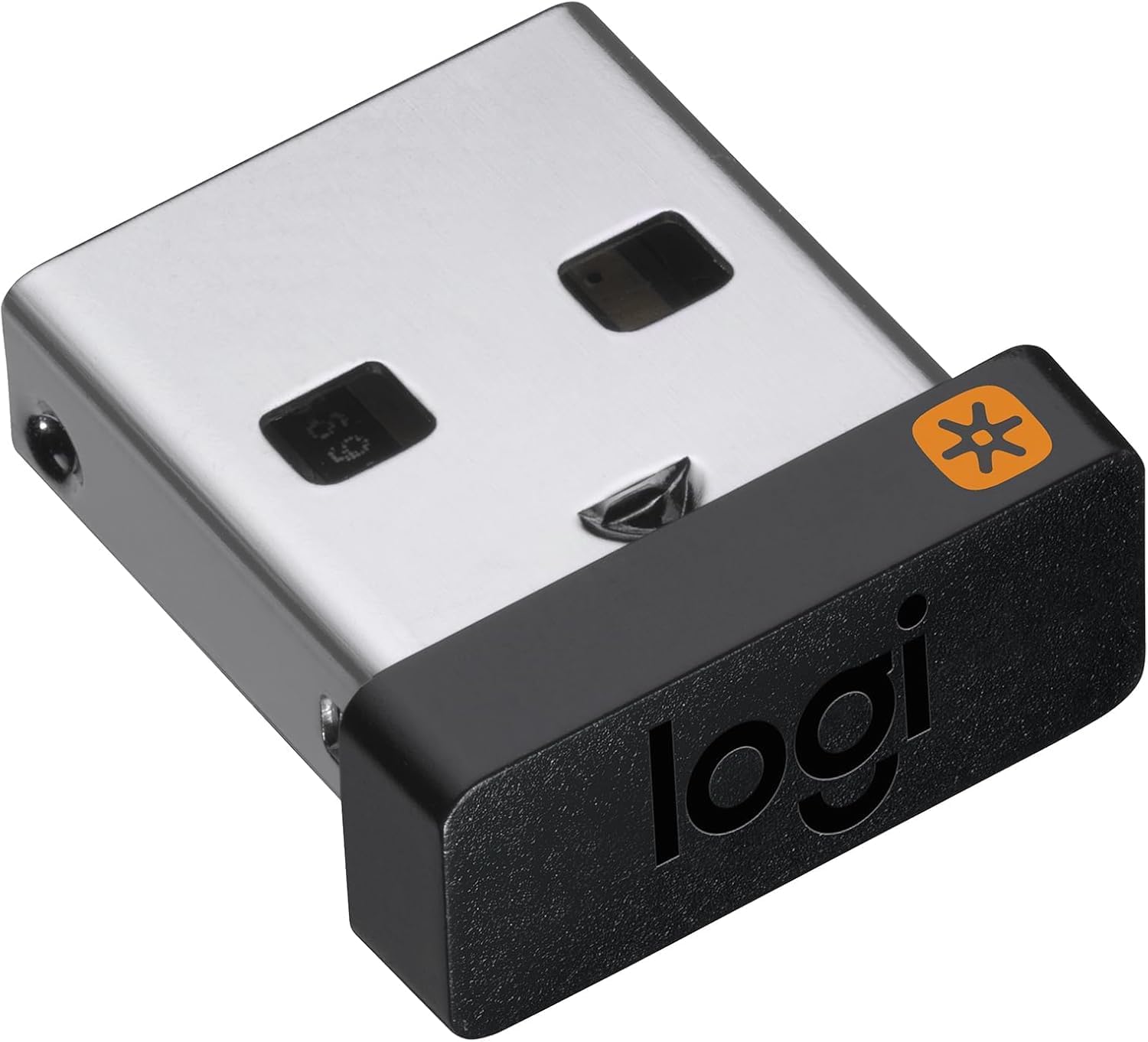
The Logitech USB Unifying Receiver uses advanced 2.4 GHz wireless technology to connect up to six compatible Logitech mice and keyboards to a single computer, offering a reliable connection up to 10 meters away. Its ultra-compact design stays plugged in discreetly, enabling seamless multi-device control and effortless file sharing between computers with Logitech Flow. Ideal as a replacement or additional receiver, it supports a broad range of Logitech peripherals for professional and personal use.


| ASIN | B072JW9LT8 |
| Best Sellers Rank | #4 in Computer Keyboard & Mice Accessories |
| Brand | Logitech |
| Built-In Media | receiver, user guide |
| Color | Black |
| Compatible Devices | PC and Mac |
| Connector Type | USB Type A |
| Current Rating | 10 A |
| Customer Reviews | 4.2 out of 5 stars 18,779 Reviews |
| External Testing Certification | ANATEL: 571303229 |
| Finish | Matte |
| Global Trade Identification Number | 00097855133991 |
| Item Dimensions | 0.35 x 0.23 x 0.59 inches |
| Item Type Name | Logitech USB Unifying Receiver - 910-005235 |
| Item Weight | 4.54 g |
| Item dimensions L x W x H | 0.35 x 0.23 x 0.59 inches |
| Manufacturer | Logitech |
| Mfr Part Number | 910-005235 |
| Model Number | 910-005235 |
| Number of Items | 1 |
| Package Quantity | 1 |
| Power Plug Type | No Plug |
| Specific Uses For Product | personal, gaming, business |
| UPC | 097855133991 |
| Unit Count | 1 Count |
| Warranty Description | 1 - year limited warranty |
K**R
Download software to program, so NOT plug and play.
It is NOT plug and play... You need to download an app from Logitech to program the receiver. I was worried because two of the devices I need to attach these too are NOT type devices, but a DVR for our security cameras. I have 2 DVRs and a computer, each requires a mouse. I wanted to get rid of all 3 wired mice so I bought a Logitech mouse that can done devices using a switch on the mouse. (Model M720, if anyone needs similar.) Unfortunately the mouse took a week longer to arrive than the reciever so I had anxiety er whether this would actually work. The mouse already comes with one receiver and can do Bluetooth (which I did for the computer), and I bought this receiver for the 3rd device. I bought the mouse refurbished because new was retailing at $50+. I received the extra receiver first because shipping was longer for the mouse. This made me nervous because the receiver came with no instructions in the box. The outside has a QR code to use so you can download the necessary software. You MIGHT get a link that says the old advertised software is no longer supported and is obsolete. Ignore this. Download the recommended software that they suggest as the substitute. I just went strait to Logitech's support and typed in unifying receiver. You DO need a computer for this part because once the software is installed you use it to program the receiver and pair it with a device. Once the mouse came in with its included receiver it worked instantly when I plugged it into the 1st DVR. I had to use my old wired mouse to link the new mouse via Bluetooth. This is when I realized I needed to download the software to program this extra receiver... Which is slightly different in design from the receiver that came with the mouse. Both have the same logo, but one has a thinner profile and sticks out less from the USB slot. I plugged this receiver into my computer once the software finished downloading and it was super easy to pair it to the mouse. I then unplugged the receiver from my computer and plugged it into the 2nd DVR and it worked. I now have 1 mouse that controls 3 devices and there is less clutter on my desk.
R**Y
Connection was simple quick and easy.
I used this for my M570 Track Ball Mouse. The original one got damaged because I had left it in the computer and it kinda got bent and was never the same since then. I had downloaded the Logi Options+ the night before. When it arrived I opened the app. I clicked Add Device. I then inserted the USB into the computer. Then it asked me to turn the mouse off and then on and it connected. Super easy no problem at all for me. Yes I would recommend this product.
R**L
Didn't work until I downloaded and installed Logitech unifying software
If you bought this unifying receiver or if you are considering buying it you need to know that you need to download and install the Logitech unifying receiver software. Then, use it to pair your mouse and/or other Logitech wireless devices. Don't be a dummy like me and just plug it in and expect it to work and then, when it doesn't, write a very negative wrongful review. I apologize for that. After I figured out that you need to install the software then use it to pair your device (in my case it was my Logitech M325 mouse) with this receiver it should work great. So far so good for working with my Logitech M325 mouse. I just figured this out today so if things change later on I will update this review. This dongle is a little hard to remove from the USB port but that may be because I have very short fingernails out of necessity as I am an HVAC mechanic.
P**G
Does not work on any of my Logitech devices
I am very disappointed. I have a fairly new Logitech keyboard (K520) and Mouse (M310), purchased barely a year ago and this receiver did not work on either of them. I tried plugging it into three different computers, all of which use Logitech wireless mice or keyboard, so they all have Logitech software installed already. I also tried it on my Logitech trackball mouse (M570) and an older mouse (also an M310) - nothing. I've been using Logitech products for at least 15 years and have never had a problem with any of their products. I still have Logitech speakers purchased in 2007 and they work as well as they did when new. I'll change this review if I can get it to work. Edit to add: I tried downloading the Logitech unifying software at least six times, it failed every time. I then attempted to get a refund for my $10.60 or a new receiver and it appears I have to return the item, which entails either paying $7.99 for pick-up (leaving me with a refund of $2.61) or take it to a drop off location. All locations are at least 30 minutes away from me - I am a disabled shut-in and don't drive. If getting to a store was easy, I would have gone out and bought a receiver and not have had to wait three days for it. I am also not about to waste someone else's time and gas to have them drop it off for me. After hours of trying to get the receiver to work, I am still very disappointed.
B**5
It works!
Perfect!!! I broke the original USB Unifying Receiver to connect my Logitech keyboard to the PC and this was an excellent choice for a replacement.
M**S
The Real Deal
I read a ton of negative reviews stating stuff like DOA cuz it didn't work even though their devices were listed. I can confirm this DOES indeed work as all the Logitech Unifying Receivers do. YOU HAVE TO PAIR IT either with the Unifying Software (which I did) or there's a web interface for it now as well which I don't care for. I have the software saved locally so I'm not dependent on an internet connection and use that instead. The website *[EDIT] is called Logi Web Connect (if this posts Amazon wouldn't let me post the like to it) I give 4 stars to items that work as intended. This does.
A**F
Great and it works. Glad they offer this replacement part.
When I purchased a new mouse, I had a brain cramp and discarded the packaging with the receiver in it. I’m pleased that this is sold separately because it’s such a small part and I would imagine I’m not the only one who has ever lost one. Lol! It works like a charm.
P**A
Breathing A Sigh of Relief
I absolutely love my Logitech K350 keyboard, but lost the dongle when I moved. Logitech doesn’t produce it anymore, so people are selling it online for hundreds of dollars. I had almost given up when I stumbled on this. This is a lifesaver!
T**Y
Works Great.
Works great. Remember this isn't plug and play. You need to go to the Logitech website to pair your device to the dongle. If you have a Mac there are some extra (kinda annoying) security sets you have to do, but it walks you through it. Was able to pair an old MX Performance mouse to a MacBook Pro.
M**E
Perfect!
Perfect! Works well, easy to install with the app (literally less than 5 minutes) 👍🏻👍🏻👍🏻
T**.
Funcionou
Funcionou perfeitamente mais atenção apenas para dispositivos unifying. Se o seu não é, não irá funcionar.
J**L
perfect product
with my wireless logi keyboard. works nicely
U**1
It works well as expected.
It can be paired with any existing compatible device that has the same star symbol by using Logi Options+ software.
Trustpilot
1 week ago
3 weeks ago